· Priya Nair · Engineering · 13 min read
PCB Silkscreen and Legend Design
Master PCB silkscreen design with best practices for reference designators, polarity markings, assembly instructions, and traceability. Includes IPC standards and DFM guidelines.
Quick Answer
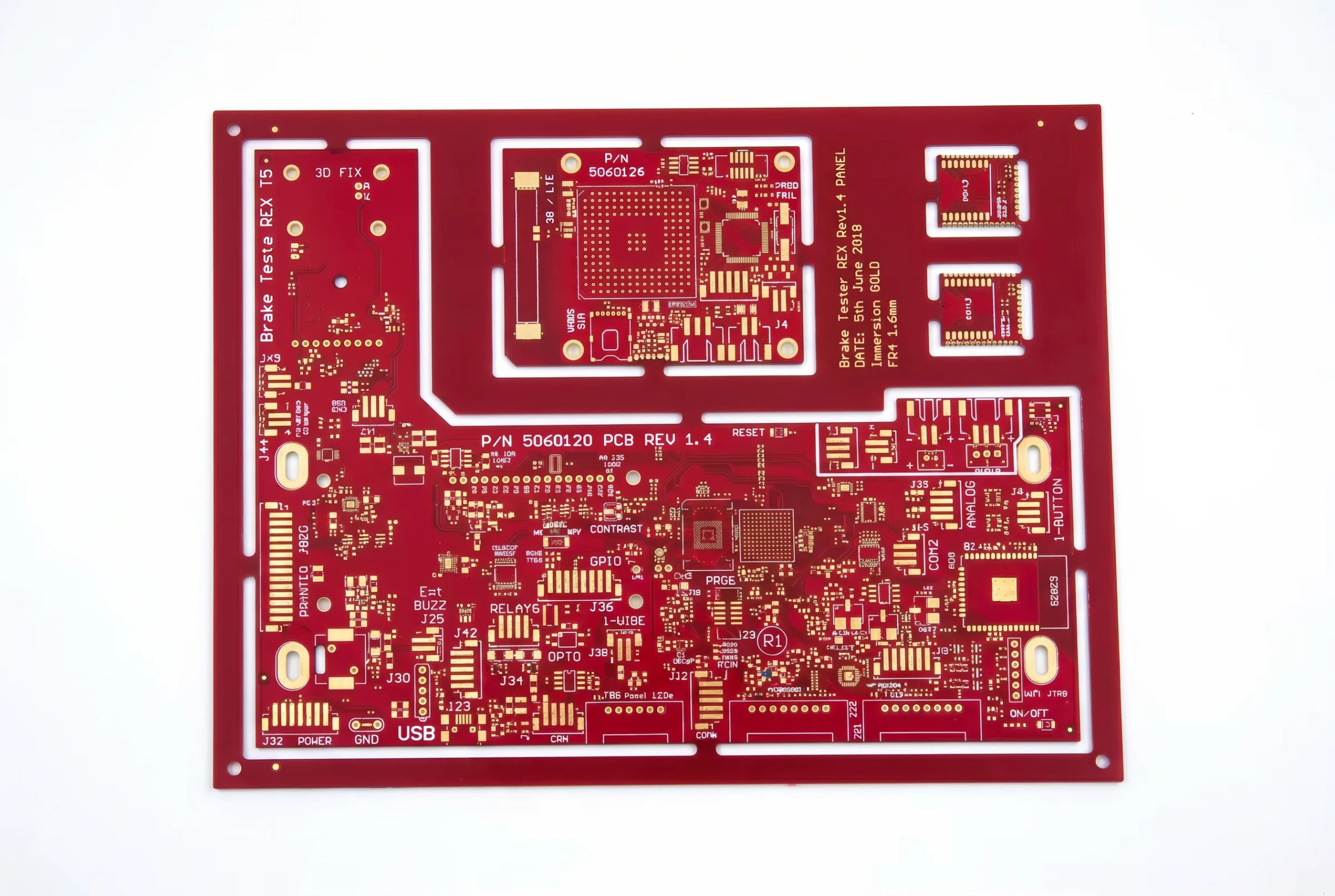
Effective PCB silkscreen design requires legible reference designators positioned adjacent to their components without overlapping pads or vias, polarity markings on every polarized component, and traceability information including board part number, revision, date code location, and manufacturer logo. The minimum recommended text height is 1.0 mm (40 mil) with a 0.15 mm (6 mil) line width for reliable screen printing, though LDI-based inkjet legend printing can achieve 0.5 mm text height.
Introduction: The Overlooked Layer That Affects Everything
Silkscreen — also called the legend layer, nomenclature layer, or component overlay — is often the last thing a PCB designer thinks about and the first thing an assembly technician looks at. A well-designed silkscreen transforms a complex circuit board into a readable document that guides assembly, enables inspection, supports field service, and ensures regulatory compliance.
Poorly designed silkscreen causes real problems: misplaced components due to illegible reference designators, reversed polarized parts from missing or ambiguous polarity marks, failed inspections from overlapping or clipped text, and traceability gaps that violate customer and regulatory requirements.
This guide covers silkscreen design from a practical engineering perspective — what to include, where to place it, how to size it, and what to avoid. The principles apply equally to prototype boards and high-volume production, because good silkscreen design costs nothing extra and prevents expensive mistakes.
Silkscreen Fundamentals
What Gets Printed on the Silkscreen
The silkscreen layer carries several categories of information:
- Reference designators: Component identifiers (R1, C23, U5, etc.) that correspond to the bill of materials and schematic
- Component outlines: Physical footprint boundaries showing component placement location and orientation
- Polarity and pin 1 markings: Indicators for correct orientation of polarized and keyed components
- Assembly instructions: Test points, connector pinouts, jumper settings, assembly notes
- Board identification: Part number, revision, company name/logo
- Traceability: Date code area, lot code area, serial number location, UL/CE marking area
- Mechanical information: Board outline, mounting hole identification, connector labeling
Silkscreen Printing Methods
| Method | Resolution | Speed | Cost | Best For |
|---|---|---|---|---|
| Screen printing | 0.15 mm line, 1.0 mm text | Fast | Lowest | High-volume, standard features |
| Inkjet printing | 0.10 mm line, 0.5 mm text | Moderate | Low-Moderate | Prototype, variable data |
| Photo-imageable | 0.075 mm line, 0.4 mm text | Moderate | Moderate | Fine-pitch, high-density |
Screen printing remains the dominant method for production volumes. A fine mesh screen (typically 100-120 threads/cm) transfers ink through a stenciled pattern onto the board surface. Resolution is limited by screen mesh density and ink viscosity.
Inkjet printing is gaining adoption because it requires no screens (similar to how [LDI eliminates film]/blog/pcb-laser-direct-imaging-ldi/) in imaging). Each board can have unique data (serial numbers, date codes) without changing the setup. Resolution is better than screen printing but speed is lower.
Photo-imageable legend uses a photosensitive ink that is exposed and developed like solder mask. It provides the finest resolution but at higher cost and is typically reserved for the most demanding applications.
Ink Properties
Standard silkscreen ink characteristics:
- Color: White on green/blue/red solder mask; black or yellow on white solder mask
- Thickness: 10-20 µm typical (screen print); 5-15 µm (inkjet)
- Adhesion: Must adhere to solder mask surface; tested per IPC TM-650 Method 2.4.1
- Cure: Thermal cure at 150°C (screen ink) or UV cure (inkjet, photo-imageable)
- Chemical resistance: Must survive flux, cleaning solvents, and conformal coating processes
Reference Designator Design
Sizing
Reference designators must be large enough to read without magnification during assembly and inspection:
| Application | Minimum Text Height | Recommended Text Height | Line Width |
|---|---|---|---|
| Standard production | 1.0 mm (40 mil) | 1.27 mm (50 mil) | 0.15 mm (6 mil) |
| Dense boards | 0.8 mm (32 mil) | 1.0 mm (40 mil) | 0.127 mm (5 mil) |
| Prototype/debug | 1.27 mm (50 mil) | 1.5 mm (60 mil) | 0.18 mm (7 mil) |
| Inkjet printing | 0.5 mm (20 mil) | 0.8 mm (32 mil) | 0.10 mm (4 mil) |
Font selection: Use a sans-serif, proportional-width font designed for silkscreen readability. Avoid fonts with thin strokes, serifs, or decorative elements that do not reproduce well at small sizes. Most EDA tools provide optimized silkscreen fonts — use them.
Placement Rules
- Adjacent to component: Place the reference designator as close to its component as possible, preferably within 2 mm of the component outline
- Consistent orientation: All reference designators should read from the bottom or right edge of the board (readable from one or two directions maximum). IPC-7351 recommends a consistent reading direction.
- Do not overlap pads: Maintain minimum 0.15 mm (6 mil) clearance from all exposed copper pads — this is the most critical rule
- Do not overlap vias: Text over open vias will be printed inside the via hole, creating illegible marks and potential contamination
- Do not place under components: Reference designators hidden under components are useless during assembly. Place them on visible board area adjacent to the component.
- Avoid solder mask openings: Do not place silkscreen features on top of any solder mask opening
Handling Dense Boards
On high-density boards, there may not be enough space to place all reference designators legibly. Strategies include:
- Reduce text size to 0.8 mm (for inkjet) while maintaining readability
- Use abbreviated designators: “R1” instead of full designator if space is tight
- Place designators on the opposite side: If the top side is too dense, place top-side component designators on the bottom silkscreen with a “TOP” label
- Create a separate assembly drawing: For the most dense designs, provide a separate document with a component location map rather than trying to label every component on the board
- Prioritize critical components: Always label ICs, connectors, polarized components, and test points. Passive resistors and capacitors in arrays can share a group label.
Polarity and Orientation Markings
Critical Requirement
Every polarized component must have an unambiguous polarity indication on the silkscreen. Reversed electrolytic capacitors can explode. Reversed ICs will not function and may be permanently damaged. Reversed diodes in power circuits can cause cascading failures.
Marking Standards
| Component Type | Standard Marking | Alternative |
|---|---|---|
| IC / BGA | Dot or notch at pin 1 corner | Triangle pointing to pin 1 |
| Electrolytic capacitor | ”+” symbol at positive terminal | Shaded negative half |
| Tantalum capacitor | ”+” at positive terminal | Bar at positive end |
| Diode / LED | Cathode bar (line at cathode side) | “K” at cathode |
| Polarized connector | Pin 1 indicator (triangle, dot, or “1”) | Asymmetric outline |
| Transistor (TO-92, etc.) | Component outline matching datasheet | Pin labels (E, B, C) |
Pin 1 Indicators
For ICs, pin 1 must be clearly identifiable from the silkscreen alone:
- Primary method: A filled dot (0.5-1.0 mm diameter) adjacent to pin 1, outside the component outline
- Secondary method: A notch or indent at the pin 1 end of the component outline
- Both methods together: Best practice for IPC Class 3 assemblies
Design rule: The pin 1 indicator must be visible after the component is placed. Do not place the indicator under the component body — put it just outside the component outline at the pin 1 corner.
For [IPC Class 3 requirements]/blog/ipc-class-3-requirements/), all polarized and pin-1-dependent components must have clear silkscreen markings that remain visible after assembly.
Component Outline Design
Courtyard vs. Assembly Outline
Modern EDA tools generate two outline types:
- Courtyard (fab layer): Defines the minimum keepout zone around a component, including assembly clearance. Not typically printed on silkscreen.
- Assembly outline (silkscreen): A simplified representation of the component body, printed on the silkscreen to show placement location and orientation.
Best practice: Draw the silkscreen outline to match the actual component body dimensions, not the pad pattern. This allows visual verification that the component is placed correctly — the body should align with the outline.
Outline Rules
- Line width: 0.10-0.15 mm (4-6 mil) for component outlines
- No pad overlap: Component outline lines must not cross pad areas. Open the outline at pad locations.
- Asymmetric outline: For components with orientation (ICs, connectors), make the outline asymmetric to indicate correct placement direction
- Pin 1 identification: Include pin 1 indicator as part of or adjacent to the outline
Special Cases
- BGAs: Draw the outline at the body size, not the ball pattern. Pin A1 indicator is critical — use a corner mark.
- QFN/DFN: Show the exposed pad outline on silkscreen; it provides a visual reference for solder paste alignment
- Large connectors: Label pin numbers or functions on multi-pin connectors (e.g., “TX+”, “RX-”, “GND”)
- Mechanical components: Mounting holes, standoffs, and heat sinks should have labeled outlines
Board Identification and Traceability
Required Board Markings
Every production PCB should include:
| Marking | Purpose | Location |
|---|---|---|
| Part number | Board identification | Prominent location, both sides preferred |
| Revision level | Version control | Adjacent to part number |
| Company name/logo | Ownership identification | Anywhere visible |
| Date code area | Manufacturing traceability | Designated blank area (manufacturer fills) |
| UL mark location | Safety certification | Required if UL listed; specific size requirements |
| Country of origin | Trade compliance | Required for many markets |
| RoHS/WEEE marking | Environmental compliance | Required for products sold in EU |
| Fabricator marking area | Fab-side traceability | 10 × 5 mm minimum blank area |
Date Code and Lot Traceability
Fabricators apply date codes and lot codes during manufacturing, typically using inkjet printing on the silkscreen layer. You must provide:
- A clear, unobstructed area of at least 10 × 3 mm for the date code
- Location specification in the fabrication drawing (e.g., “DATE CODE: Location as shown in detail A”)
- Format requirements if your quality system requires a specific format (e.g., “WWYY” for work week and year)
For [IPC Class 3]/blog/ipc-class-3-requirements/) assemblies, individual board traceability may require serial numbers or 2D barcodes. Reserve a 10 × 10 mm area for barcode placement.
UL Marking Requirements
If your product requires UL recognition:
- The UL logo must be a specific minimum size (typically 3.2 mm height for the backward “UR” symbol)
- It must be applied to each individual board, not just the panel
- The board must include the UL file number
- The manufacturer must be UL-listed for the specific PCB category
Check with your fabricator about their UL listing status and marking process.
Assembly-Supporting Silkscreen Features
Test Points
Label all test points with their net name or function:
- Format: “TP1: VCC_3V3” or simply “3V3”
- Size: Test point labels can be smaller (0.8 mm text height) since they are typically used with probe equipment
- Placement: Adjacent to the test pad, not on the pad
Jumper and Configuration Settings
For boards with configuration jumpers, solder bridges, or option resistors:
- Label each option clearly: “JP1: 3.3V / 5V”
- Show the default configuration: “DEFAULT: 1-2 CLOSED”
- Use graphical markers (filled/open rectangles) to indicate default position
Connector Pinouts
Multi-pin connectors benefit from pin labeling:
- Number the first and last pins at minimum (e.g., “1” and “20”)
- Label signal names for critical connectors (debug headers, programming ports)
- Indicate mating connector orientation with a “KEY” or arrow marker
Assembly Notes
Short assembly instructions can be printed on the silkscreen:
- “THIS SIDE UP” for boards that must be oriented during assembly
- “DO NOT POPULATE” on component footprints that are optionally loaded
- “SEE DWG” for components with special installation requirements
DFM Rules for Silkscreen
Clearance Rules
| Clearance From | Minimum | Recommended | Notes |
|---|---|---|---|
| SMD pads | 0.15 mm (6 mil) | 0.20 mm (8 mil) | Critical — ink on pads causes defects |
| Through-hole pads | 0.15 mm (6 mil) | 0.20 mm (8 mil) | Include annular ring |
| Via holes (open) | 0.15 mm (6 mil) | 0.20 mm (8 mil) | Ink falls into open vias |
| Via holes (tented) | 0 (OK to overlap) | 0.10 mm (4 mil) | Tent must be solid |
| Board edge | 0.25 mm (10 mil) | 0.50 mm (20 mil) | Routing tolerance |
| Solder mask opening | 0.10 mm (4 mil) | 0.15 mm (6 mil) | Must not enter opening |
Common DFM Violations
Silkscreen on pads: The most common and most damaging violation. Set up your EDA tool’s DRC to flag this automatically.
Text too small: Below 0.8 mm height with 0.12 mm line width, screen-printed text becomes a smudge. Verify minimum sizes match your fabricator’s capability.
Text over via holes: Open or partially tented vias under silkscreen create illegible marks. Either tent the vias fully or move the text.
Silkscreen in routing channel: If V-score or tab routing cuts through silkscreen features, they will be damaged or partially removed.
Excessive silkscreen density: Too much information makes the board unreadable. Prioritize critical markings and remove decorative or redundant elements.
Consult our comprehensive [DFM checklist]/blog/pcb-dfm-checklist/) for complete silkscreen manufacturing rules alongside other fabrication constraints.
Silkscreen for Different Board Types
Rigid PCBs
Standard silkscreen rules apply. Screen printing is the default for production; inkjet for prototypes and variable data.
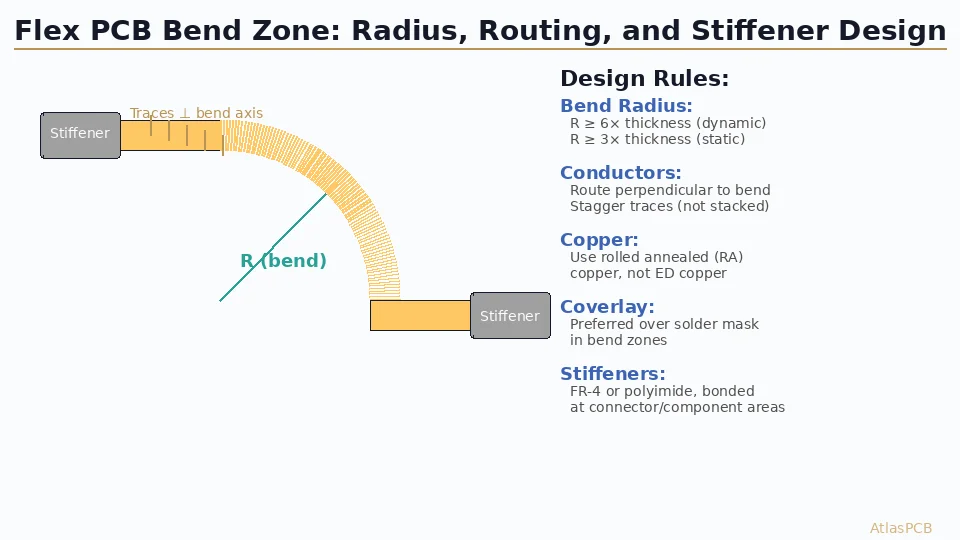
Flex and Rigid-Flex PCBs
Special considerations for flexible areas:
- Ink flexibility: Use flexible silkscreen ink that will not crack when the flex circuit bends. Standard rigid PCB ink will flake off flex substrates.
- Reduced feature density: Minimize silkscreen on flex areas — it adds stiffness and can cause cracking at bend points
- Coverlay compatibility: Silkscreen must adhere to coverlay (polyimide) surfaces, which may require surface treatment
Metal-Core and Ceramic PCBs
- Metal-core: Standard silkscreen applies to the dielectric surface. Ink adhesion to exposed metal areas requires special ink or surface preparation.
- Ceramic (LTCC/HTCC): Silkscreen is applied using thick-film printing processes at different temperatures than standard FR-4 processes.
High-Reliability (Class 3) PCBs
Additional requirements for [IPC Class 3]/blog/ipc-class-3-requirements/):
- All reference designators must be present and legible
- All polarity markings must be present
- Pin 1 indicators on all ICs are mandatory
- Board identification must include part number, revision, and traceability information
- Silkscreen adhesion must survive the full assembly and cleaning process
- Ink must be resistant to solvents used in the cleaning process
Advanced Silkscreen Techniques
Two-Color Silkscreen
Some boards use two silkscreen colors — typically white for standard markings and yellow or red for warnings or critical indicators:
- Warning labels: “HIGH VOLTAGE” in red adjacent to power areas
- Critical polarity: Red polarity marks for battery connections
- Cost: Second color adds a second print pass, increasing cost by 10-15%
Silkscreen on Both Sides
For boards with components on both sides:
- Each side needs its own silkscreen layer
- Reference designators on each side should correspond to components on that side
- Consider adding a “TOP SIDE” / “BOTTOM SIDE” label to each silkscreen to prevent assembly confusion
Board Artwork and Branding
While functional markings take priority, the silkscreen also serves a branding function:
- Company logos should be sized and positioned where they do not interfere with functional markings
- Version-controlled artwork (logos, graphics) should be in the silkscreen Gerber, not added manually by the fabricator
- Decorative graphics should follow the same DFM rules as functional silkscreen (minimum line width, pad clearance)
EDA Tool Configuration
Automated DRC Checks
Configure your EDA tool to enforce these silkscreen design rules:
- Silkscreen-to-pad clearance: Flag any silkscreen feature within 0.15 mm of an exposed pad
- Silkscreen-to-via clearance: Flag silkscreen over non-tented vias
- Minimum text size: Flag text below your fabricator’s minimum
- Missing reference designators: Flag components without visible reference designators
- Missing polarity marks: Flag polarized components without polarity indicators
Gerber Output
When generating fabrication files:
- Top silkscreen: Gerber layer “GTO” or your EDA’s equivalent
- Bottom silkscreen: Gerber layer “GBO”
- Include both positive and negative polarity features in the correct layer
- Verify Gerber output visually — some EDA tools clip silkscreen at pad boundaries, which may differ from your design intent
Ensure your manufacturing data package is complete by following the [PCB manufacturing process]/blog/pcb-manufacturing-process-15-steps/) documentation requirements for Gerber and assembly data output.
Silkscreen Inspection and Quality
Inspection Criteria per IPC-6012
IPC-6012 defines acceptance criteria for silkscreen:
- Class 1: Legend is present; legibility is not critical
- Class 2: Legend is legible; minor smearing or misregistration allowed if designators are readable
- Class 3: Legend is fully legible with no smearing, bleeding, or misregistration that affects readability. All required markings are present and correctly located.
Common Defects
| Defect | Cause | Prevention |
|---|---|---|
| Smeared text | Screen printing misalignment, wet ink contact | Proper screen tension, curing distance |
| Missing text | Clogged screen mesh, insufficient ink | Screen maintenance, ink viscosity control |
| Ink on pads | Design error or clipping failure | DRC check, fabricator verification |
| Poor adhesion | Surface contamination, wrong ink type | Surface cleaning, ink compatibility check |
| Misregistration | Alignment error during printing | Fiducial-based alignment, LDI inkjet |
Conclusion
Silkscreen design is the bridge between your circuit design and the physical world of manufacturing and assembly. A clear, well-organized silkscreen saves time at every stage: assembly technicians find components faster, inspectors verify orientation confidently, field engineers diagnose issues without schematics, and quality auditors confirm traceability without searching.
The investment in proper silkscreen design is minimal — it takes no additional board area, adds no fabrication cost, and requires only attention during the layout phase. The return is measured in fewer assembly errors, faster inspection, easier field service, and regulatory compliance achieved the first time.
At Atlas PCB, our engineering team reviews silkscreen design as part of every DFM check, ensuring that your production boards are as readable as they are reliable. We catch silkscreen-on-pad violations, missing polarity marks, and traceability gaps before they become production problems.
Atlas PCB specializes in high-quality PCB fabrication with precision silkscreen printing and full DFM review. Contact us for engineering support and a free DFM review on your next project.
About AtlasPCB — We specialize in complex PCB manufacturing for HDI, RF, and high-reliability applications. Explore our full PCB manufacturing capabilities, or get an instant online quote . Every order includes free engineering review. Get your quote.
Reviewed by AtlasPCB Engineering Team — IPC-certified manufacturing specialists with 15+ years of production experience in HDI, RF, and high-reliability PCB fabrication. Content based on factory floor data and real customer design reviews.
Frequently Asked Questions
What is the minimum silkscreen text size for readable PCB legends?
Should silkscreen overlap solder pads?
What traceability markings should every PCB include?
- silkscreen
- legend
- assembly
- traceability