· Dr. Chen Wei · Engineering · 10 min read
PCB Net Ties Explained
Learn what PCB net ties are, when to use them in mixed-signal and split-ground designs, and how to implement them correctly in your EDA tool for clean analog-digital separation.
Quick Answer
A PCB net tie is a special component or footprint that allows two different nets to be physically connected at a single defined point while remaining electrically separate in the schematic. Net ties are essential in mixed-signal designs where analog and digital ground planes must be joined at one specific location to prevent ground loops and minimize noise coupling.
What Is a PCB Net Tie?
In PCB design, a net tie is a special component that creates a deliberate, controlled short circuit between two nets that are defined as electrically separate in the schematic. This seemingly contradictory concept — connecting things that are supposed to be separate — serves a critical purpose in mixed-signal and power distribution design.
The most common application is connecting analog ground (AGND) and digital ground (DGND) at a single, carefully chosen point on the PCB. The schematic treats these as separate nets to enforce proper routing discipline, but they must ultimately be connected at one location for the circuit to function correctly.
Without a net tie, designers face an uncomfortable choice:
- Short the nets in the schematic → Loses the ability to enforce separate routing rules
- Leave them physically separate → Creates ground potential differences and noise problems
- Use a zero-ohm resistor → Introduces unnecessary parasitic impedance
Net ties solve this elegantly by allowing EDA tools to maintain separate net identity while the physical PCB has a direct copper connection.
Why Net Ties Matter in Mixed-Signal Design
The Ground Plane Dilemma
Mixed-signal PCBs containing both analog and digital circuits face a fundamental challenge: digital switching noise must be kept away from sensitive analog circuits, yet both domains must share a common ground reference.
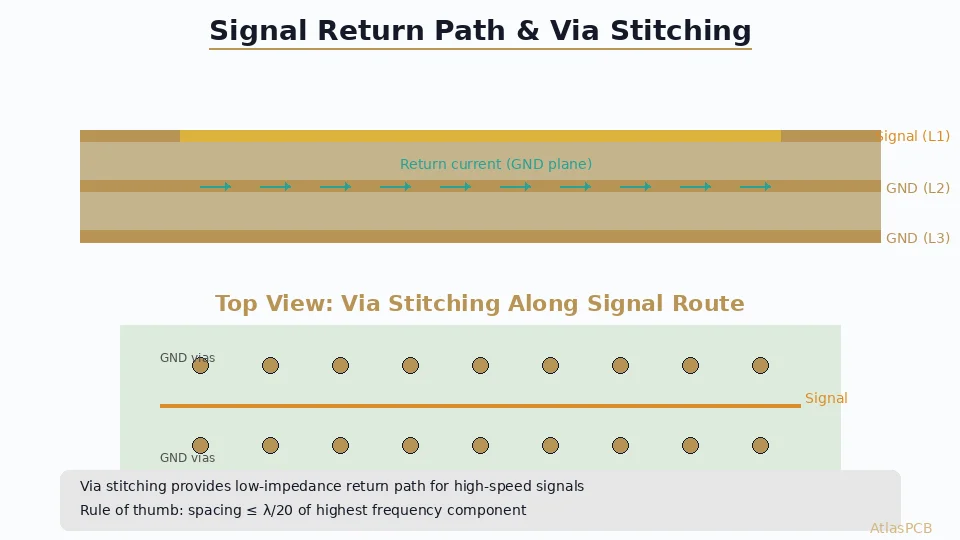
The traditional approach involves split ground planes — separate copper pours for AGND and DGND — joined at a single point. This single-point connection strategy prevents ground loop currents from digital circuits flowing through the analog ground plane.
However, implementing this in an EDA tool creates problems:
- DRC violations: The tool sees two different nets shorted together and flags errors
- Routing constraints: The tool won’t let you route or pour copper connecting different nets
- Netlist inconsistency: The physical board doesn’t match the schematic netlist
Net ties resolve all three issues. They tell the EDA tool: “Yes, I know these are different nets, and yes, I intentionally want them connected right here.”
When to Use Net Ties
Definite use cases:
- AGND-to-DGND single-point connection
- Split power plane connections (e.g., AVDD to DVDD with filtering)
- Star-ground topologies with multiple ground domains
- Chassis ground to signal ground connection points
- Shield ground connections
Consider alternatives when:
- You need to break the connection for debugging → use a zero-ohm resistor
- The connection may change in future revisions → use a zero-ohm resistor
- You need filtering at the connection point → use an LC filter or ferrite bead
- The two nets carry significantly different voltages → use proper isolation components
For comprehensive grounding strategies, see our [PCB grounding techniques guide]/blog/pcb-grounding-techniques/).
Net Tie Implementation in EDA Tools
Altium Designer
In Altium Designer, net ties are implemented as special components:
Schematic side:
- Create a two-pin component symbol (simple line or box)
- Set the component comment to “Net Tie” for clarity
- Place it in the schematic between the two nets you want to connect
Footprint side:
- Create a footprint with two pads
- Add a copper shape (track or fill) on the appropriate layer that bridges the two pads
- In the component properties, set Component Type to Net Tie (In BOM) or Net Tie
Critical detail: The copper bridge between pads must be part of the footprint definition, not manually drawn on the board. Only copper within the net tie footprint is exempt from DRC net-short checking.
Pad spacing guidelines:
- Minimum pad-to-pad distance: Follow your fabricator’s minimum copper-to-copper clearance
- Typical net tie footprint size: 1.0 × 0.5 mm to 2.0 × 1.0 mm
- The copper bridge width should match or exceed the width of the traces connecting to it
KiCad
KiCad 7 and later has native net tie support:
- Create a footprint with two (or more) pads assigned to different nets
- In the Footprint Properties, add the pads to a Net Tie Group
- Add copper shapes on the appropriate layers connecting the pads within the footprint courtyard
KiCad’s DRC will then ignore short-circuit violations between pads in the same net tie group, but only within the footprint’s courtyard boundary.
OrCAD/Allegro
In Cadence Allegro:
- Create a special padstack or package with overlapping pads
- Use the NET TIE property in the component definition
- Configure DRC to recognize net tie components
Important Notes for All Tools
- Always verify DRC behavior after placing a net tie — run a full DRC check to confirm no false errors
- Document net ties in your schematic with clear notes explaining the purpose
- Keep net ties in the BOM if your assembly process needs to track them (even though there’s no physical component to place)
- Net tie copper should be on the same layer as the plane connection — typically a surface layer or an inner copper layer
Net Tie Design Best Practices
Placement Strategy
The location of a net tie — particularly for ground plane connections — is critical to its effectiveness:
For AGND-DGND connections:
- Place at or near the power entry point of the board
- If using an ADC/DAC, place near the converter’s ground pins
- The connection point should be where the largest ground current returns to the power supply
- Avoid placing the net tie far from the power supply, as this creates a long return path
For star-ground topologies:
- Place all net ties at a common star point
- Keep star-point traces short and wide
- Consider using a small copper island at the star point
Copper Bridge Design
The copper connection within the net tie footprint should be designed for minimum impedance:
- Width: Match the width of the ground pour or use the widest copper practical (minimum 0.5 mm, preferred 1.0 mm+)
- Length: Keep as short as possible — the net tie is ideally just two overlapping pads with zero gap
- Layer: Place on the same layer as the ground planes being connected
- Via connections: If connecting planes on different layers, include vias within or immediately adjacent to the net tie footprint
Common Mistakes
Multiple connection points: If AGND and DGND are connected at more than one point, you’ve created a ground loop. The whole purpose of the net tie is to ensure a single connection point.
Net tie too far from power entry: Placing the connection point far from where power enters the board forces ground return currents to travel unnecessarily long paths.
Thin copper bridge: A narrow trace connecting two ground planes creates an impedance bottleneck. Use wide copper.
Forgetting inner layers: If your ground split extends across multiple layers, you need to ensure separation on all inner ground layers, not just the surface.
Incorrect DRC setup: If your EDA tool still flags the net tie as an error, the component properties aren’t set correctly. Fix this rather than suppressing DRC errors globally.
Net Ties vs. Alternative Approaches
Net Tie vs. Zero-Ohm Resistor
| Feature | Net Tie | Zero-Ohm Resistor |
|---|---|---|
| DC resistance | 0 Ω (copper connection) | 20–50 mΩ |
| Parasitic inductance | Negligible | 0.5–2 nH (0402) |
| High-frequency impedance | Lowest possible | Measurable at >100 MHz |
| Physical component | None | Yes (requires placement) |
| Debugging flexibility | Cannot be removed | Can be desoldered |
| BOM cost | $0 | $0.001–0.01 |
| Assembly cost | $0 | Placement + solder |
| Board area | Minimal | Pad + clearance |
Recommendation: Use net ties for permanent ground connections where impedance matters. Use zero-ohm resistors when you need debugging flexibility or may change the design.
Net Tie vs. Schematic Net Short
Some designers simply use the same net name for AGND and DGND in the schematic. While this works electrically, it removes the EDA tool’s ability to enforce separate routing rules:
- No DRC checking for accidental connections between analog and digital ground pours
- No ability to set different clearance rules for analog vs. digital nets
- Loss of design intent documentation
Net ties preserve design intent while allowing the physical connection.
Net Tie vs. Ferrite Bead
A ferrite bead between ground planes provides high-frequency isolation while allowing DC current to flow. This is different from a net tie:
- Ferrite beads have DC resistance (typically 50–500 mΩ) that can cause ground offset
- They provide frequency-dependent impedance that attenuates high-frequency noise
- They are appropriate when the two grounds carry significantly different noise levels
- Not suitable for high-current ground connections due to saturation
For EMC considerations in mixed-signal design, refer to our [EMC/EMI PCB design guide]/blog/emc-emi-pcb-design/).
Mixed-Signal Design: When to Split and When Not To
The Modern Perspective on Ground Splitting
The traditional advice to always split ground planes in mixed-signal designs has been revised by leading IC manufacturers (notably Analog Devices and Texas Instruments). The modern consensus:
Don’t split the ground plane if:
- Your ADC/DAC has a single ground pin (or all ground pins are labeled GND)
- The analog and digital sections share a compact area
- The board has sufficient layer count for dedicated ground planes
- Current return paths would be disrupted by the split
Do split the ground plane if:
- The ADC/DAC explicitly has separate AGND and DGND pins with specific connection requirements
- Analog and digital sections are physically separated into distinct board regions
- The data sheet specifically recommends split grounds
- You have high-power digital circuits (motor drivers, switching regulators) near sensitive analog circuits
When you do split — that’s when net ties become essential.
Practical Mixed-Signal Layout Strategy
- Partition the board into analog and digital regions
- Run a continuous ground plane under each region
- Use a net tie to connect the planes at the optimal point (typically near the ADC/DAC or at the power entry)
- Route signals across the boundary only at the net tie location to ensure return currents don’t cross the split
- Place bypass capacitors close to IC power pins with vias directly to the local ground plane
Signal integrity across split planes is a key concern. For more on this topic, see our [signal integrity design guide]/blog/signal-integrity-pcb-design-guide/).
Multi-Domain Designs
Complex boards may have several ground domains:
- DGND — Digital logic ground
- AGND — Analog signal ground
- PGND — Power ground (motor drivers, switching regulators)
- CHASSIS — Chassis/safety ground
Each domain connects to the others through dedicated net ties, typically in a star configuration centered on the power entry point. The [PCB grounding techniques guide]/blog/pcb-grounding-techniques/) covers multi-domain grounding in detail.
Net Tie Routing and DFM Considerations
Fabrication Impacts
Net ties themselves have minimal impact on fabrication since they’re simply copper features. However, the associated ground plane split has significant [DFM implications]/blog/pcb-dfm-checklist/):
- Minimum gap width: The split between ground planes must meet the fabricator’s minimum copper-to-copper spacing (typically 0.1–0.15 mm for inner layers)
- Impedance control: Traces crossing over a ground plane split will experience impedance discontinuities. See our [controlled impedance PCB guide]/blog/controlled-impedance-pcb/)
- Solder mask: Ensure the net tie area has appropriate solder mask coverage if on a surface layer
Testing Considerations
During electrical testing:
- Flying probe / bed-of-nails testing: The test fixture must recognize that the two nets are connected through the net tie and not flag it as a short
- Export correct netlists: Ensure your test netlist reflects the net tie connection
- Continuity testing: Include net tie verification in your test plan
For a broader view of PCB testing approaches, see our [PCB testing methods guide]/blog/pcb-testing-methods/).
Real-World Application Examples
Example 1: Precision Data Acquisition System
A 24-bit ADC board with separate AGND and DGND:
- Ground plane split runs between the analog front-end and digital processing sections
- Net tie placed directly under the ADC package, connecting AGND and DGND planes
- No signals routed across the split except at the ADC location
- Result: 2 µV noise floor maintained despite mixed-signal design
Example 2: RF/Digital Mixed Board
A wireless module with RF, baseband, and digital sections:
- Three separate ground zones: RF_GND, AGND, DGND
- Net ties connecting all three at the power connector area in a star configuration
- Ferrite beads used on power rails (not grounds) for high-frequency isolation
- Additional net tie at the RF-to-baseband conversion IC
Example 3: Motor Controller with Sensing
A motor drive board with current sensing:
- PGND (high-current motor return) separated from AGND (sense amplifier ground)
- Net tie at the current sense resistor location — the one point where high current and sensing must meet
- Heavy copper (2 oz) for PGND, standard 1 oz for AGND
- More on copper weight design at our [copper weight guide]/blog/pcb-copper-weight-thickness/)
Conclusion
Net ties are a fundamental tool in the PCB designer’s toolkit for mixed-signal, multi-domain, and complex power distribution designs. Key takeaways:
- Net ties provide zero-impedance connections between separate nets while maintaining schematic integrity and DRC capability
- Use them for permanent ground connections where parasitic impedance matters — use zero-ohm resistors when flexibility is needed
- Placement is critical — the net tie location defines the single-point ground connection and affects the entire board’s noise performance
- Modern mixed-signal design doesn’t always require split grounds, but when it does, net ties are essential
- Verify DRC behavior after implementation to ensure your EDA tool correctly handles the net tie
Atlas PCB engineers can review your mixed-signal layout and advise on optimal ground plane splitting and net tie placement strategies.
Atlas PCB specializes in mixed-signal PCB fabrication with precise impedance control and advanced ground plane management. Contact us for engineering support and a free DFM review on your next project.
About AtlasPCB — We specialize in complex PCB manufacturing for HDI, RF, and high-reliability applications. Explore our full PCB manufacturing capabilities, or get an instant online quote . Every order includes free engineering review. Get your quote.
Reviewed by AtlasPCB Engineering Team — IPC-certified manufacturing specialists with 15+ years of production experience in HDI, RF, and high-reliability PCB fabrication. Content based on factory floor data and real customer design reviews.
Frequently Asked Questions
What is a net tie in PCB design?
When should I use a net tie instead of a zero-ohm resistor?
How do I create a net tie in Altium Designer or KiCad?
- net-tie
- mixed-signal
- ground-plane
- analog-digital