· Dr. Chen Wei · Engineering · 4 min read
PCB Design Software Comparison
Compare the top PCB design tools — KiCad, Altium Designer, Eagle, and OrCAD. Understand features, pricing, learning curve, and which tool fits your project needs.

Quick Answer
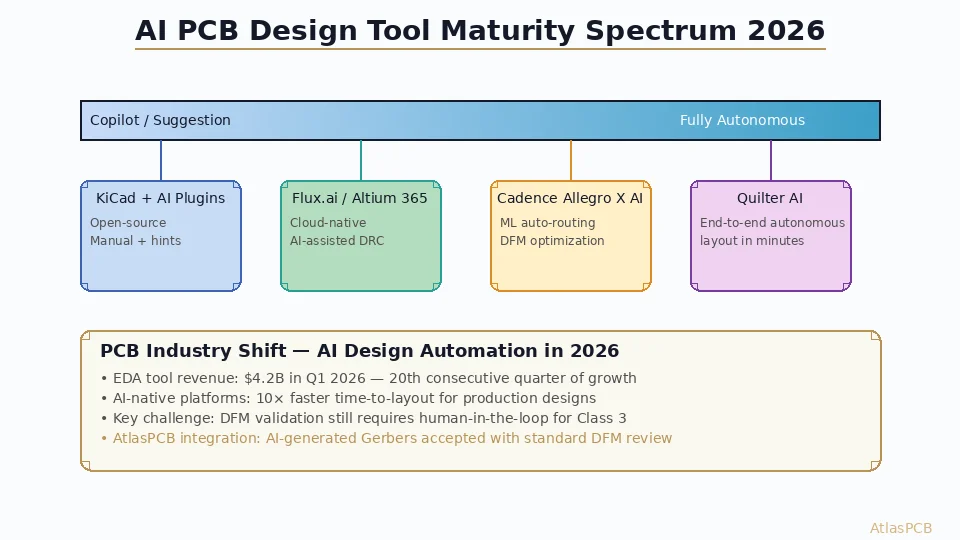
Major PCB design software includes KiCad (free, open-source), Altium Designer (professional, most popular), Eagle (hobbyist/small teams), OrCAD/Allegro (enterprise), and EasyEDA (free, cloud-based). Selection depends on design complexity, budget, team size, and library ecosystem.
Choosing the right PCB design software (EDA tool) impacts your productivity, design quality, and collaboration workflow. This guide compares the four most popular options to help you make an informed choice.
Quick Comparison
| Feature | KiCad | Altium Designer | Eagle | OrCAD/Allegro |
|---|---|---|---|---|
| Price | Free (open-source) | ~$7,500/year | Free (limited) / $500/year | ~$6,000-30,000 |
| Learning curve | Medium | Medium-High | Low | High |
| Max layers | Unlimited | Unlimited | 16 (free: 2) | Unlimited |
| Board size limit | None | None | 160x100mm (free) | None |
| 3D viewer | Yes | Excellent | Yes | Yes |
| SPICE simulation | Yes | Yes | Yes (basic) | Yes (PSpice) |
| Team collaboration | Git-friendly | Altium 365 cloud | Fusion cloud | OrCAD cloud |
| Auto-router | Yes (basic) | Yes (advanced) | Yes | Yes (advanced) |
| Impedance calculator | Plugin | Built-in | No | Built-in |
| MCAD integration | STEP export | Native (SolidWorks, etc.) | Fusion 360 | SolidWorks |
KiCad
Overview
Open-source EDA suite developed by CERN and a global community. Completely free with no feature limitations.
Strengths
- Free forever — no licensing costs, no board size/layer limits
- Active community — extensive libraries, tutorials, and plugins
- Cross-platform — Windows, macOS, Linux
- Git-friendly — text-based file formats work well with version control
- Rapid improvement — major updates every 6-12 months
- Plugin ecosystem — KiBot, InteractiveHtmlBom, and many others
Weaknesses
- No native team collaboration platform
- Auto-router is basic compared to commercial tools
- Library management requires more manual effort
- No built-in impedance calculator (use Saturn PCB or plugin)
- Learning resources less structured than commercial tools
Best For
- Hobbyists and students (no cost barrier)
- Startups (save on tooling costs)
- Open-source hardware projects
- Professionals who want full control and customization
Altium Designer
Overview
Professional-grade EDA tool widely used in the electronics industry. Comprehensive feature set with strong MCAD integration.
Strengths
- Unified design environment — schematic, PCB, 3D, and simulation in one tool
- Altium 365 — cloud platform for team collaboration, design review, and sharing
- Best-in-class 3D — real-time 3D visualization and MCAD clearance checking
- Advanced routing — interactive router with impedance-aware trace width
- Extensive libraries — Manufacturer part search with 3D models
- Industry standard — widely used, easy to find experienced designers
Weaknesses
- Expensive — ~$7,500/year subscription (was perpetual license, now subscription only)
- Windows only — no macOS or Linux support
- Resource heavy — requires powerful hardware for large designs
- Steep learning curve for advanced features
Best For
- Professional product development companies
- Teams needing collaboration features
- Complex multi-layer and HDI designs
- Companies with budget for professional tools
Eagle (now Autodesk Fusion Electronics)
Overview
Long-established PCB tool, acquired by Autodesk and integrated into Fusion 360. Popular for its simplicity.
Strengths
- Easy to learn — simplest interface among professional tools
- Free tier — 2 layers, 80cm2 board area (sufficient for simple projects)
- Fusion 360 integration — seamless MCAD/ECAD workflow
- Large community — decades of shared libraries and tutorials
- ULP scripting — powerful automation capabilities
Weaknesses
- Being sunset — Autodesk is transitioning to Fusion Electronics; Eagle’s future is uncertain
- Free tier limitations — 2 layers, small board size, 2 schematic sheets
- Paid tier still limited — 16 layers max
- Aging interface — UI feels dated compared to modern tools
Best For
- Hobbyists and makers (free tier)
- Simple 2-4 layer designs
- Users already in the Autodesk/Fusion 360 ecosystem
OrCAD / Cadence Allegro
Overview
Enterprise-grade EDA suite from Cadence. OrCAD is the entry-level product; Allegro is the high-end platform used for the most complex designs.
Strengths
- Most powerful routing — Allegro’s constraint-driven routing is industry-leading
- Signal integrity tools — integrated SI/PI simulation
- Enterprise features — design reuse, variant management, team design
- Industry standard for complex designs — server boards, networking, aerospace
- PSpice — gold standard for analog circuit simulation
Weaknesses
- Most expensive — Allegro can cost $30,000+/year
- Steepest learning curve — complex interface requires significant training
- Dated UI — interface design lags behind Altium
- Overkill for simple designs — excessive complexity for 2-4 layer boards
Best For
- Large enterprises with complex designs (8-30+ layer boards)
- High-speed digital and RF designs requiring simulation
- Companies with dedicated CAD departments
- Aerospace, defense, and telecom industries
Recommendation by User Type
| User Type | Recommended Tool |
|---|---|
| Student/Hobbyist | KiCad (free, capable) |
| Startup (budget-constrained) | KiCad or Eagle free tier |
| Small company (1-5 engineers) | Altium Designer |
| Medium company (5-20 engineers) | Altium Designer with Altium 365 |
| Large enterprise (complex designs) | Cadence Allegro |
| Open-source projects | KiCad |
| Maker/Arduino community | Eagle or KiCad |
Conclusion
KiCad has become a genuinely professional tool that handles most design needs at zero cost. Altium Designer remains the gold standard for professional teams that can afford the subscription. Eagle is in transition and its long-term future is unclear. OrCAD/Allegro dominates the enterprise space for the most complex designs. The best tool is the one your team knows well — switching EDA tools has a significant learning cost that should factor into your decision.
Further Reading
- [HDI PCB Design Guide: Stackup Rules, Via Structures & DFM Checklist]/blog/hdi-pcb-design-guide/)
- [High-Speed PCB Design: Signal Integrity Essentials for Modern Electronics]/blog/high-speed-pcb-design/)
About AtlasPCB — We specialize in complex PCB manufacturing for HDI, RF, and high-reliability applications. Explore our full PCB manufacturing capabilities, or get an instant online quote . Every order includes free engineering review. Get your quote.
Reviewed by AtlasPCB Engineering Team — IPC-certified manufacturing specialists with 15+ years of production experience in HDI, RF, and high-reliability PCB fabrication. Content based on factory floor data and real customer design reviews.
Frequently Asked Questions
What is the best free PCB design software?
Is Altium Designer worth the cost?
- PCB design software
- KiCad
- Altium
- EDA tools